 SpiderFolio
For users
QR codes
Generate a QR code that always opens the current version, sign-in or public codes, printable label sheets and revoking.
What they’re for
A QR code stuck on a machine, a noticeboard or a door takes people straight to the document used there: the cleaning instruction, the emergency plan, the safety sheet. The code always opens the current version: when you publish a new version, there’s nothing to reprint.
Where to find it
On a page, More actions › Generate QR code; on a file, Generate QR code in its menu in the explorer. You need to be able to edit the document. Folders don’t have QR codes.
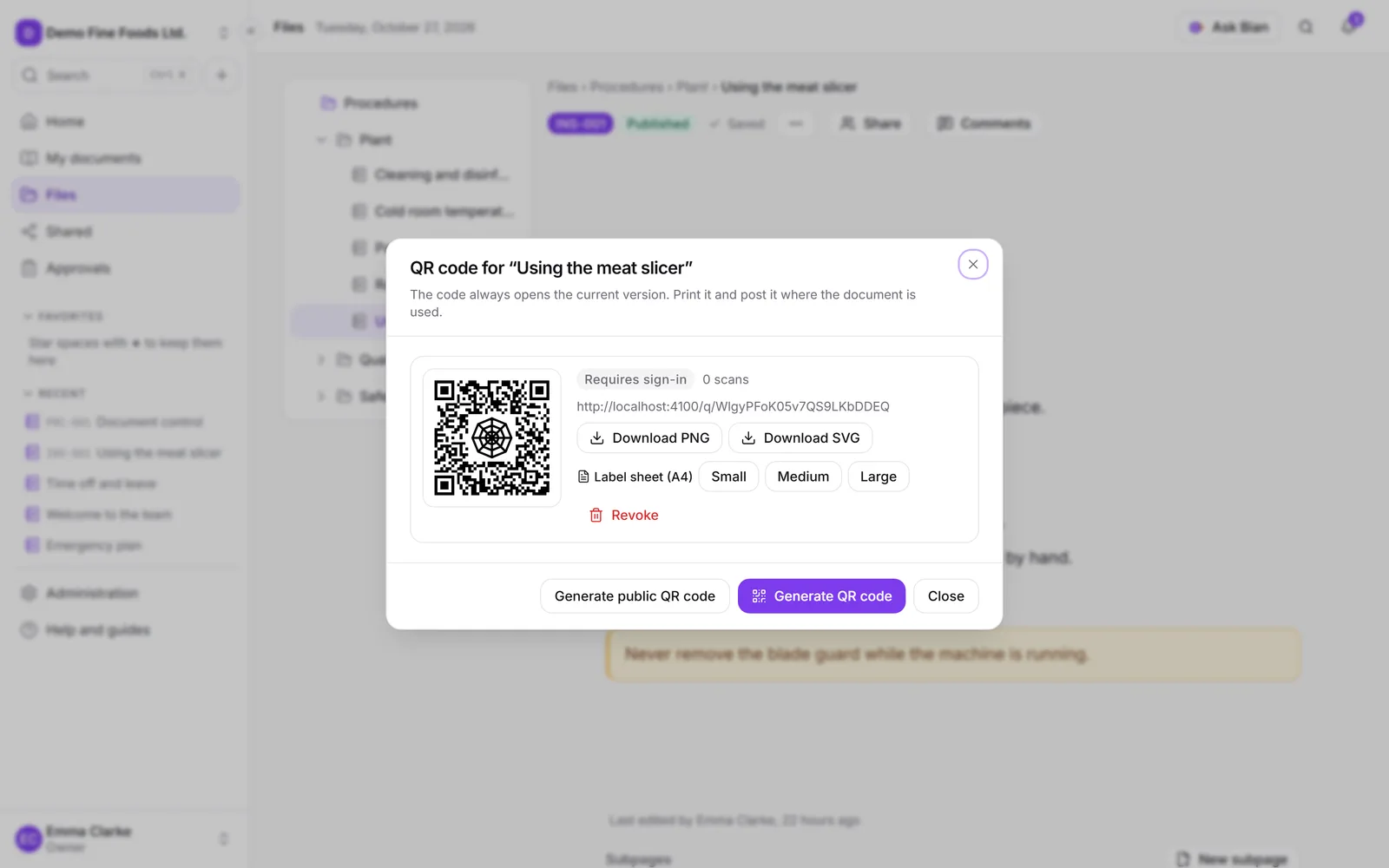
Generate a QR code
- Open Generate QR code.
- Click Generate QR code. A code that Requires sign-in is created.
- Download it with Download PNG or Download SVG, or build a Label sheet (A4) in Small, Medium or Large size. Each label has the QR code, the document’s code, its title and its area.
A document can have several QR codes. Each one shows its type, how many scans it had and the date of the last one. The counter doesn’t record who scanned it or from where.
Sign-in or public
- Requires sign-in (the default): whoever scans it has to sign in with their account and be able to see the document. If they can’t see it, it doesn’t open.
- Public · no sign-in: anyone who scans it can read this document, and only this one, without signing in and read-only. Use it for safety instructions for contractors or visitors.
To Generate public QR code you need the Manage level on the document and the Public QR codes capability in your role. SpiderFolio asks you to confirm before creating it.
Whoever opens a public QR code sees the document with the note “Document shared by QR code, read-only.” and, for a file, the Download the file button.
Revoke
If a QR code should no longer open (you stuck it in the wrong place, or the public one isn’t needed anymore), click Revoke. It stops working immediately: anyone who scans it will see “This QR code is no longer valid.” You’ll need to replace any you already printed.
Whoever generated it, or whoever manages the document, can revoke it. Generating and revoking QR codes is recorded in the audit log.