 SpiderFolio
Administration
Limits and usage
How much the company uses and the optional limits: storage, file size, kept versions, audit log and Bian questions.
By default there are no limits. If you want any (for example, to protect the server’s disk or the spend on Bian), you set them in Administration › Limits and usage. Limits apply to the whole company and you can change them anytime.
Who can see it
- Viewing usage and limits: anyone with Company settings or View storage.
- Changing limits: only Company settings. Everyone else sees “Only people with “Company settings” can change them.”
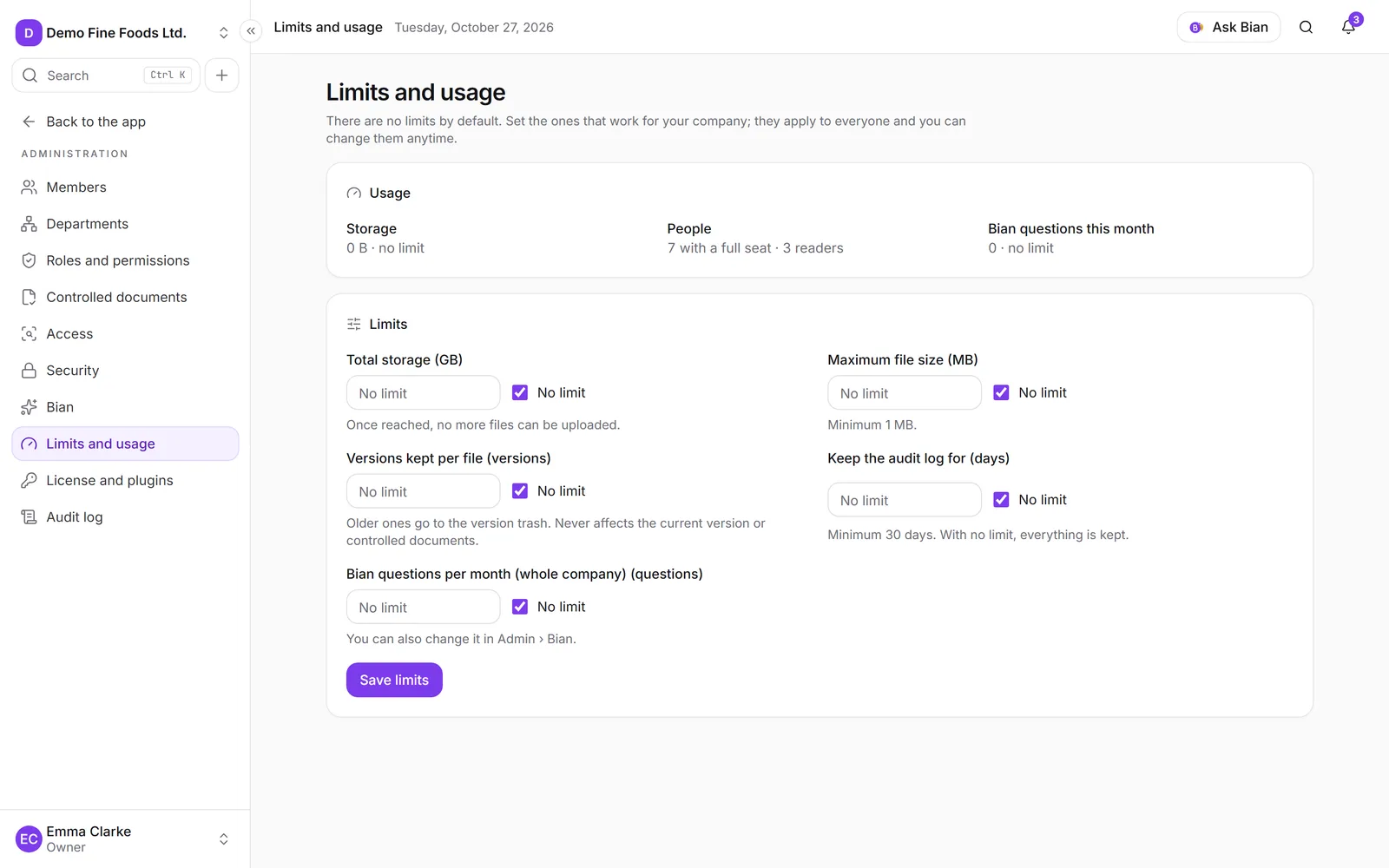
Usage
At the top, under Usage, you see:
- Storage: how much space the files take up and, if there’s a limit, out of how much.
- People: how many have a full seat and how many are readers.
- Bian questions this month: how many were used and the monthly total, if there is one.
The limits
| Limit | Unit | What happens when it’s reached |
|---|---|---|
| Total storage | GB | No more files can be uploaded until space is freed or the limit is raised. |
| Maximum file size | MB (minimum 1) | Larger files aren’t uploaded. |
| Versions kept per file | versions | Older ones go to the version trash. Never affects the current version or controlled documents. |
| Keep the audit log for | days (minimum 30) | Older events are deleted once a week. With no limit, everything is kept. |
| Bian questions per month (whole company) | questions | Bian pauses for everyone until next month. |
To set a limit, enter the number. To remove it, tick No limit. Then click Save limits. Every change is recorded in the audit log.
When someone hits a limit, they see the notice “A company limit was reached,” with how much is used and that anyone with Company settings can change it.
Bian
The Bian total is the same as Monthly total for the whole company in Administration › Bian: change it in one place and it changes in the other. There you also share the questions out with per-person and per-department limits. See Set up Bian.