 SpiderFolio
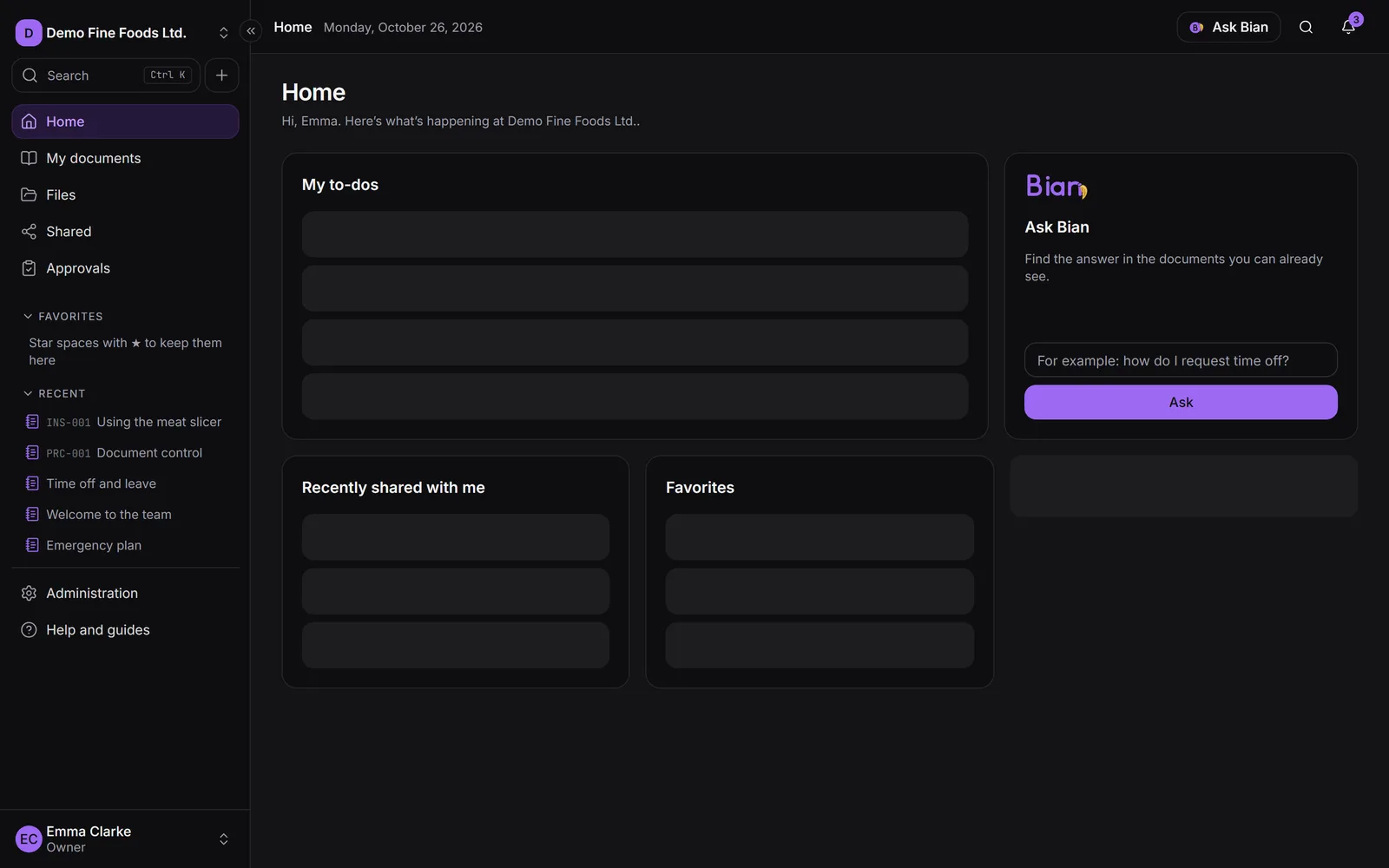
Files and folders
- Library organized by spaces
- Notion-style pages
- Import your existing folders
Open source · Internal documentation for small businesses
Pages, files and controlled documents with permissions anyone can understand, on your own server. Replace the mess of shared folders with one place where everyone sees exactly what they should.
git clone https://github.com/spiderjad/SpiderFolio.git && cd SpiderFolio/deploy && cp .env.example .envFree and open source (AGPLv3). Installs with Docker in an afternoon.
Features
How it works
Every version goes through review and approval. Only one is current; publishing a new one makes the previous one obsolete and archives it.
Access goes to departments and roles. When someone changes teams, their access moves with them, and every folder says who gets in and why.
Stick the code next to the machine: scanning it opens the current version of the procedure, even if a new one was published yesterday.
The assistant only uses the current documents each person can see, and always says where the answer came from.
Built for the shop floor
A QR code at the workstation that always opens the current version of the procedure.
Reminders before a document expires, so nothing goes out of date.
Operators sign in with a username and PIN on a shared tablet and confirm they read what applies to them.
Why
Open source
The code is open: you can read it, audit it, change it and install it wherever you want. If you offer a modified version as a service, you share your changes.
Documents, the database and backups stay on your infrastructure. Files on local disk or in the S3 storage you choose.
No plans and no per-person pricing. Invite the whole shop floor: limits, if you want any, are set by you.
Bian, the assistant, uses your Anthropic API key. You set the monthly total and the per-person limits.
Plugins
Pricing
The core is open source and complete. You only pay for what adds to it: plugins, the Enterprise bundle or help getting started.
Launch prices. Spain: euros excl. VAT. Latin America: US dollars (USD).
Free
AGPLv3 · forever
from €290one-time
Spain, excl. VAT · Latin America: from $190 USD
per plugin and per installation; one-time or yearly depending on the plugin
€1,690per year
Spain, excl. VAT · Latin America: $1,090 USD
every plugin, per installation
If you would rather not do it alone, we can help.
from €690one-time
Spain, excl. VAT · Latin America: from $450 USD
from €1,200per year
Spain, excl. VAT · Latin America: from $790 USD
€490per day
Spain, excl. VAT · Latin America: $320 USD
from €4,900one-time
Spain, excl. VAT · Latin America: from $3,200 USD
SpiderFolio is free and open source (AGPLv3), with no per-user limits. You only pay for your server and, if you use Bian, the requests on your own Anthropic account. Some business features are optional commercial plugins, from €290 excl. VAT in Spain or $190 USD in Latin America (launch price).
A Linux server with Docker, an email (SMTP) server and, to sign in from any device, a domain. The Install guide walks you through it step by step.
Access is given to departments and roles, not person by person. On every folder, file and page you can see who has access and why, for example “Quality department · inherited from /Procedures”.
A document with a code, a version and an approval, with a single current version. Earlier versions are archived and every read is confirmed per version.
On your server: the database, the files (on disk or in the S3 storage you choose) and the backups. Nothing goes through our servers.
Install it on your server, create your company and start inviting your team.