 SpiderFolio
Get started
Documentation
How to install SpiderFolio on your server, configure it and use it to organise your company's documentation.
SpiderFolio is an internal documentation manager for small businesses: wiki-style pages, files and folders organised by department, with permissions anyone can understand. Every folder, file and page explains who has access and why.

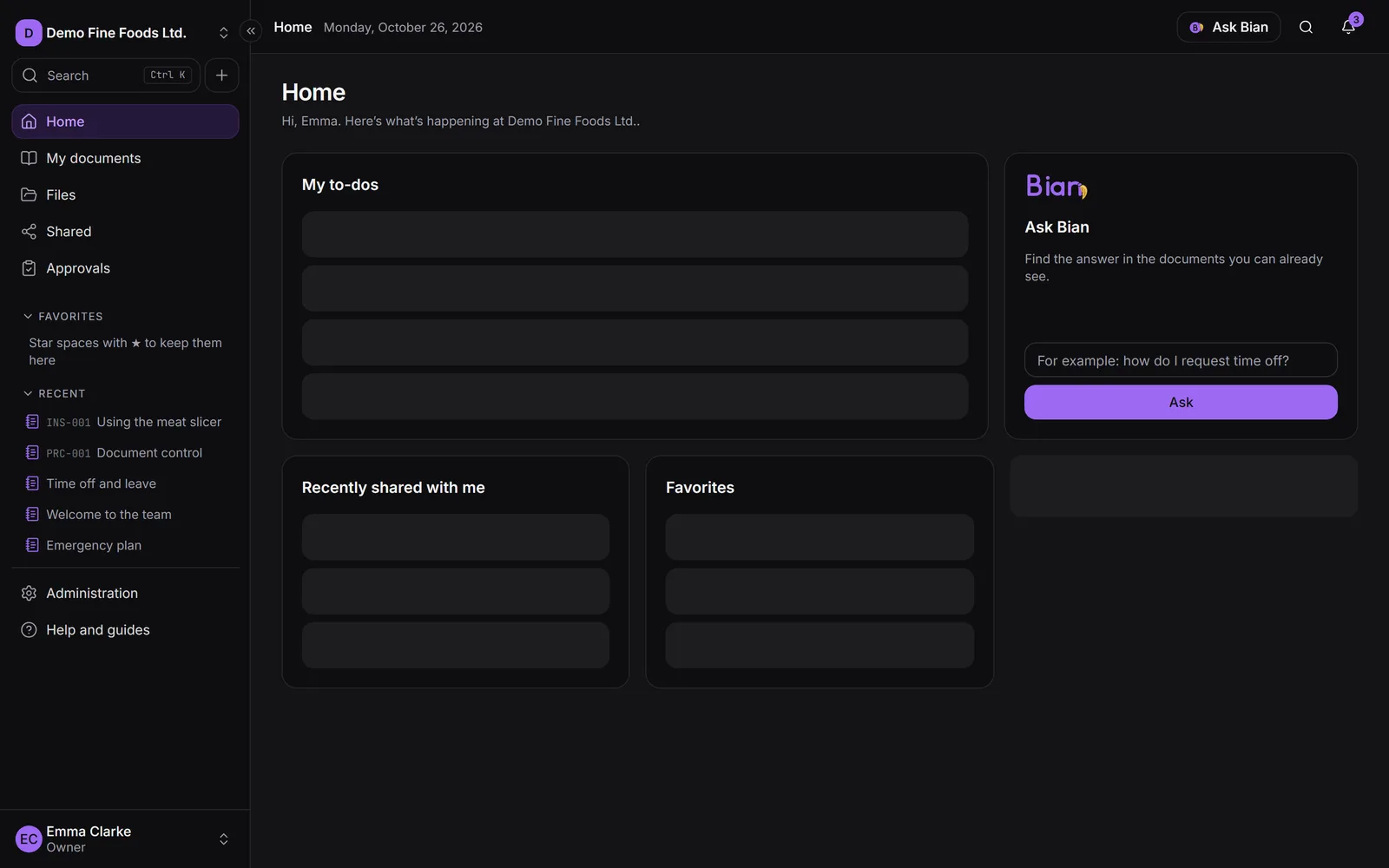
Open source, on your own server
- Open source: the code is public, under the AGPLv3 licence. You can use, study and modify it. If you offer a modified version as a service, you must publish your changes under the same licence.
- Self-hosted: you install it on your own server with Docker. Your documents and your database stay on your infrastructure.
- Complete at no cost: commercial plugins add extra features, but the core works in full without them.
What’s included
- Files and pages in company or department spaces, with versions and a trash.
- Permissions by department and role, with an explanation for every access.
- Controlled documents: a single current version, approvals, read confirmation and audit trail.
- Built for the shop floor: QR codes, expiry dates and a simple view for operators.
- Bian, the optional AI assistant, which only answers with what each person can already see.
Where to start
★
Install
SpiderFolio on your server with Docker, step by step.
Get started →
⚙
Configuration
Every variable in the .env file, explained.
Read →
→
First administrator
Create your company and get it ready for your team.
Read →
▦
Daily use
Files, pages, controlled documents and QR codes.
Read →
☰
Administration
Members, departments, roles and limits.
Read →
⛁
Self-hosting
HTTPS, storage, backups, updates and troubleshooting.
Read →
How this documentation is organised
- Get started: install, configure and create your company.
- Daily use: the screens the whole team uses, with their buttons exactly as you’ll see them.
- Administration and Security: for the company owner and administrators.
- Self-hosting: for whoever looks after the server.
- Developers: architecture, how to contribute and how to build a plugin.
Search all the documentation with ⌘K (or Ctrl + K). The code and bug reports are on GitHub.