 SpiderFolio
Self-hosting
Gotenberg (PDF)
Turn on the pdf profile to generate the PDF of controlled pages, and what happens if you don't.
Gotenberg is a service that turns HTML into PDF. SpiderFolio uses it for one thing only: generating the controlled PDF of pages that are controlled documents. It’s optional.
What it generates
When a controlled page is published, the worker builds its PDF with a header (logo, code, title, version, effective date and who prepared, reviewed and approved it) and a “Page X of Y” footer. Every download adds the uncontrolled-copy watermark, with who downloaded it and when; obsolete versions also carry an “OBSOLETE” stamp.
- PDF files uploaded as controlled documents don’t need Gotenberg: their control sheet and watermark are added anyway.
- The page’s images travel inside the HTML: Gotenberg doesn’t need internet access.
- The PDF uses the company language (in Management › Security).
More about the flow in Controlled documents.
Turn it on
-
In
deploy/.env:GOTENBERG_URL=http://gotenberg:3000 -
Start with the
pdfprofile (alongsidehttpsif you use it):docker compose --profile https --profile pdf up -dOr add
COMPOSE_PROFILES=https,pdfto.envand just rundocker compose up -d. -
Check the container is running:
docker compose ps gotenberg.
Gotenberg needs about 1 GB of RAM. Its port isn’t published: only the app and the worker can reach it inside the Docker network. Don’t expose it to the internet: it converts any HTML it receives.
If you already run your own Gotenberg (version 8) on your internal network, you can point
GOTENBERG_URL at it instead of using the profile.
What happens without Gotenberg
All of SpiderFolio works the same, except the PDF of controlled pages:
- The PDF isn’t generated on publishing.
- In the controlled document dialog, under Version history, this notice appears: “This server doesn’t generate the PDF for controlled pages (Gotenberg is missing); it does for PDF files. Whoever manages the installation can turn it on.”
- Approvals, required reading, QR codes and the current version in the app don’t change.
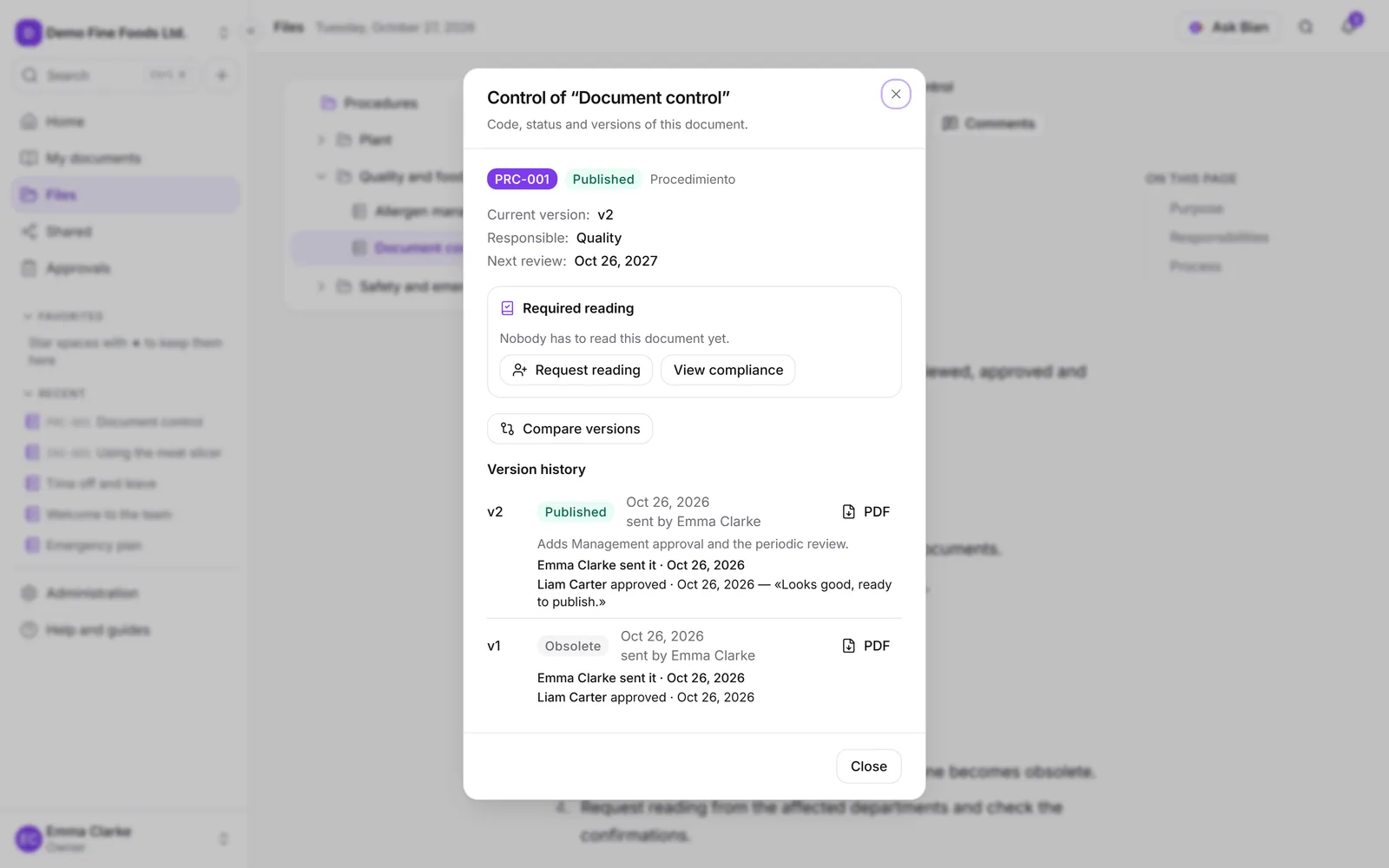
If you turn it on later, there’s no need to republish anything: each version’s PDF is generated the first time someone downloads it.